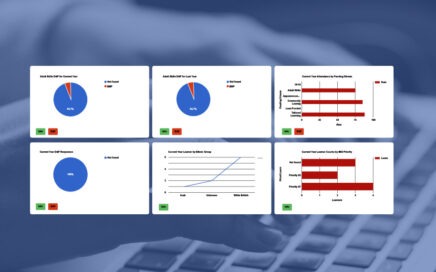
Creating a Dashboard of Charts
An introduction to creating a dashboard of charts for members of staff, multiple dashboards can be created using categories, and charts can be individualised to be relevant to an individual staff member.
An introduction to creating a dashboard of charts for members of staff, multiple dashboards can be created using categories, and charts can be individualised to be relevant to an individual staff member.

This video show an example of how to generate a chart for Study Aim Targets (SATs) on the web. This will enable a standardised Study Aim Target Dashboard to be created for all SATS.

How to create a pivot table for Web Reports, add calculated columns, format values, colourise values using formulas, save a formatted sheet, and then apply the saved formatting back into the TERMS web report so it is always appears formatted.

How to set up and book Facilities to track the usage, or hire, of rooms, equipment, or anything that can be booked for a period of time by people, learners, or activities and courses.

TERMS can be used to reconcile income between itself and payments that have been made directly into the bank or via a credit card process. This course shows how to setup reconciliations and the process itself, including how it can be used to show discrepancies.

This course will go through the options for setting up PayRuns, creating staff contracts and processing pay claims. Pay claims include hour-based claims, overtime claims and adjustments.

This short course will go through how Charge Tables are setup on Activities for Registration fees – course enrolments, exam entries, etc. – and how to create custom fees for different Concessions, pro-rata, different rates, provision discounts, surchages and miscellaneous charges, etc. Some tips for testing the fees and how to edit them at registration […]

This course will show you how to export a blank planning sheet from TERMS with an overview of how to fill it in using Excel and then how to upload the planning sheet and import it into TERMS. It will then show you how to export a filled planning sheet from existing courses or planned […]

This course will take you through the basics of creating an ILP, attaching it to a course and presenting it online for learners and tutors.

This short course will show you have to upload and download files to the Hosted TERMS systems.

This lesson will show how individual courses can be configured within TERMS to allow the Tutor to record results online.

This course will help with the maintenance of users within TERMS and the configuration of their security profiles.

Registration Triggers allow for emails to be automatically sent to learners when they register based upon user defined criteria. This allows for lots of different forms of emails, e.g. employability, accessibility, additional curriculum details, etc.

This course is an overview of the progression analysis features within TERMS, with year on year progression under different criteria

This course will take you through the basics of creating an Enterprise Report within TERMS

This course will take you through defining the types of proofs you wish to collect, the process for recoding and uploading proofs within TERMS and by learners via the web. Finally how to reject and verify proofs.

This lesson will show how data can be exported from TERMS for import into Moodle

This course will take you through setting up essential security with the TERMS MIS.

How to add, remove and update users of the TERMS MIS system with access levels and logon security.

Using the options within TERMS to get the best results on your web courses. From information only to full enrolment with PIN numbers, hybrid provision and more options under your control.

How to import and merge two of more ILRs together into a single Survey for ILR export.